

My checked bag went somewhere it was not supposed to go in Copenhagen last March. My connecting flight was on time. My bag was not. I stood at the baggage carousel in Lisbon watching it spin empty while every other passenger collected their gear and walked away. Most people in that situation spend 90 minutes at a lost-baggage counter, file a paper claim, and then wait two days for a phone call. I opened the SmartFind app on my Galaxy S24, watched a blue dot sit on a map at Copenhagen Kastrup Airport, and handed the airline agent a screenshot showing me the exact terminal area where my bag was sitting. They had it on a flight to Lisbon inside of four hours. That moment paid for every Samsung SmartTag2 I will ever buy.
I have been using the SmartTag2 since January, clipping one to my main checked bag on every trip I take. That covers 14 flights, stops in Europe, Southeast Asia, and Central America, two motorcycle runs up the Pacific Coast, and two months aboard my sailboat where I used it to track a shore bag I leave on the dock. The Samsung Galaxy SmartTag2 is a Bluetooth tracker built on Samsung's Galaxy Find network. It requires a Samsung Galaxy phone to set up and use. If you carry an iPhone or a non-Samsung Android device, this tracker is not for you, and that is the single most important thing to understand before you read any further.
The Quick Verdict
A well-built, long-battery Bluetooth tracker that does exactly what it promises, but only if you are already in the Samsung Galaxy ecosystem. iPhone users should look elsewhere.
Amazon Check Today's Price →Your bag goes right, your trip goes right. Check current pricing on the SmartTag2.
The SmartTag2 runs on a CR2032 battery rated for up to 6 months, uses Samsung's Galaxy Find network, and clips or hangs from any bag handle. Budget-friendly genuine peace of mind at baggage claim.
Amazon Check Today's Price on Amazon →How I Have Used It: A Year of Real Travel
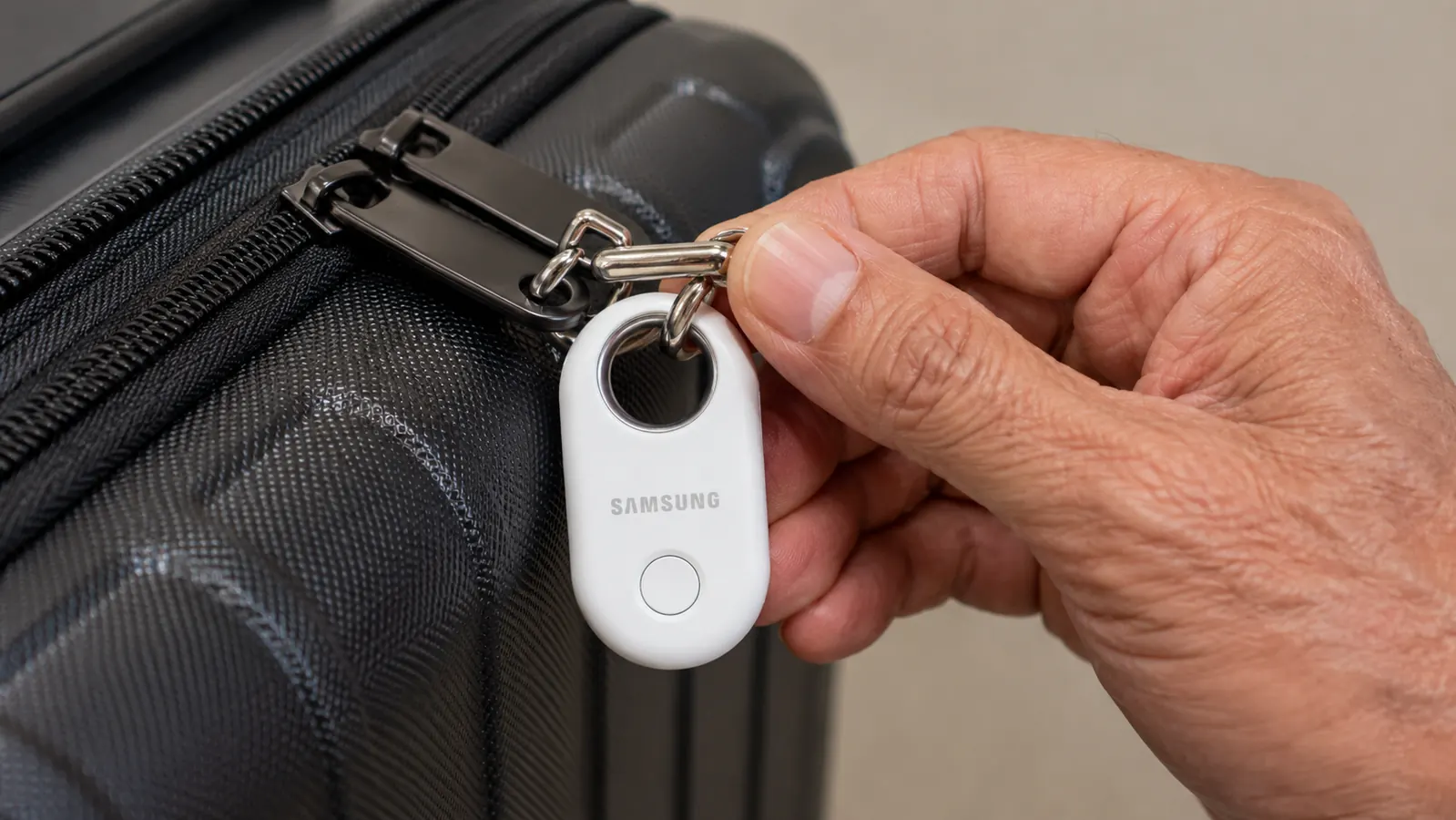
I started with one SmartTag2 in January, zip-tied through the top handle strap of a 26-inch Samsonite Omni hardshell I check on every international trip. By April I had bought a second one for a soft duffel I use for domestic runs. Neither has come off since. On the motorcycle tours I moved one into the top case on my BMW R1200GS, partly out of curiosity and partly because I leave it parked on unfamiliar streets overnight. That use case was a bonus I did not plan for, and it worked fine.
Setup took about four minutes the first time. You hold the button on the back of the tag until it beeps, open the SmartFind app on a Samsung Galaxy phone, and it pairs automatically. The app pulls the tag into your Samsung account, shows it on a map, and from that point it tracks passively. No subscription, no recurring fee, nothing to configure beyond giving the tag a name. I named mine 'Samsonite' and 'Shore Bag' and have not touched the settings since.
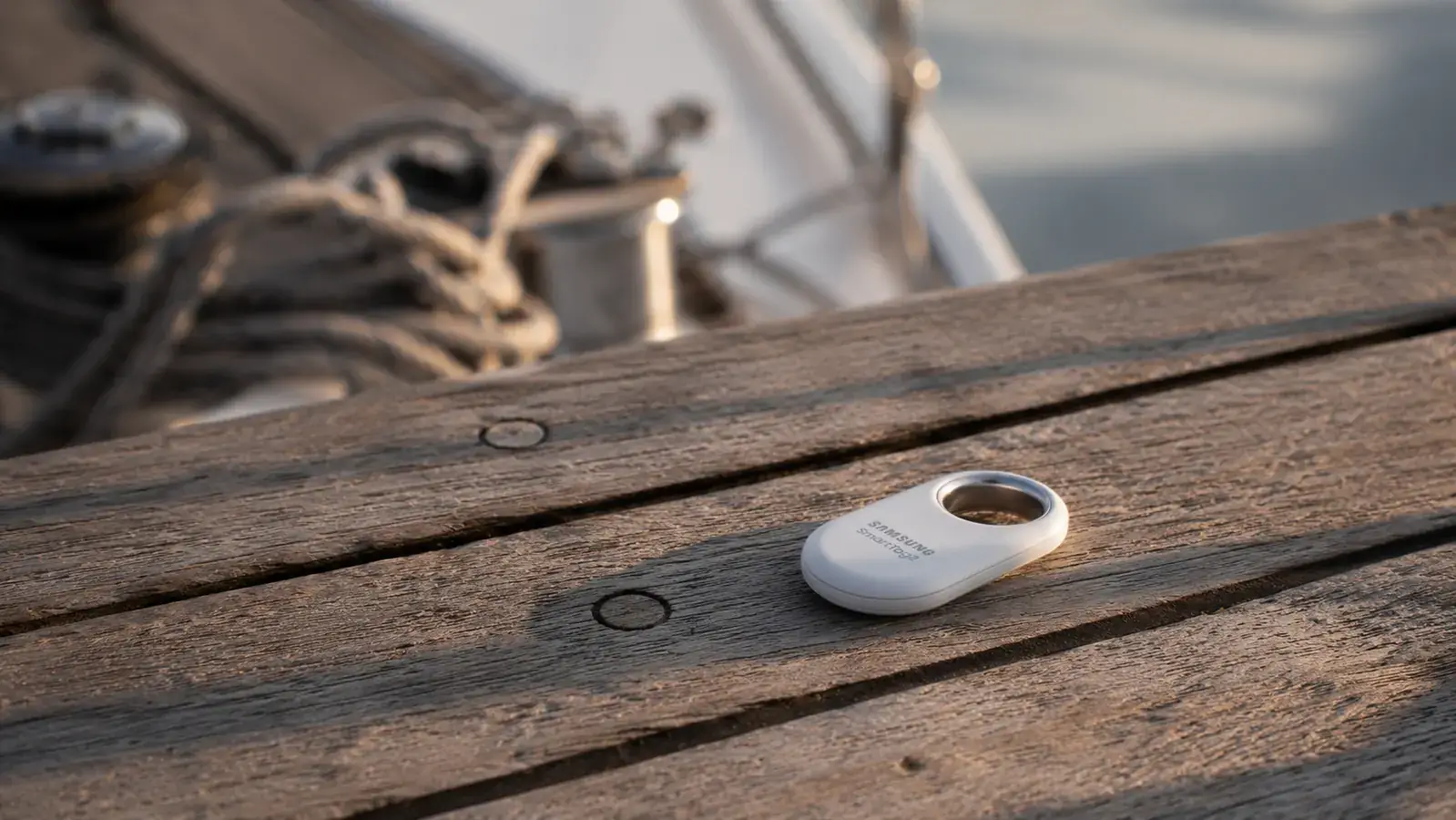
The form factor is worth mentioning because I have tried bulkier trackers before. The SmartTag2 is roughly the size of a large sugar packet, about 2.3 by 1.4 inches and just under half an inch thick. It weighs less than half an ounce. There is a loop at the top for a keyring or carabiner clip. The case is IP67 rated, meaning it can go in the water and survive rain without issue. I have had mine soaked on the dock more than once. It keeps working.
How the Galaxy Find Network Actually Works
The SmartTag2 does not use GPS. That is important to understand. It broadcasts a Bluetooth signal, and when any Samsung Galaxy device within range picks up that signal, it silently relays the tag's location to Samsung's cloud. Your app then shows you a map pin with the last known location and a timestamp. The location updates whenever another Samsung user passes near your tag. You do not see who picked up the signal, and they do not know your tag was detected. It works anonymously in the background.
The practical implication is that the SmartTag2 works best in dense areas where Samsung phones are common. In a major international airport or an urban neighborhood, the Galaxy Find network is thick enough that updates come in every few minutes. I watched my Copenhagen bag update its location four times in the hour after my flight landed, as airport workers and other travelers walked past it in the baggage area. In a rural area or a small regional airport, you might get one update every hour or none at all if no Samsung phones are nearby. I experienced this on a stop in Belize City, where my bag showed a 40-minute-old location because the terminal is small and foot traffic is low. That is not a bug; it is just how crowdsourced Bluetooth networks function.
I watched my Copenhagen bag update its location four times in the hour after my flight landed. That kind of visibility used to require a premium GPS unit and a monthly data plan.
Battery Life: The SmartTag2's Strongest Argument
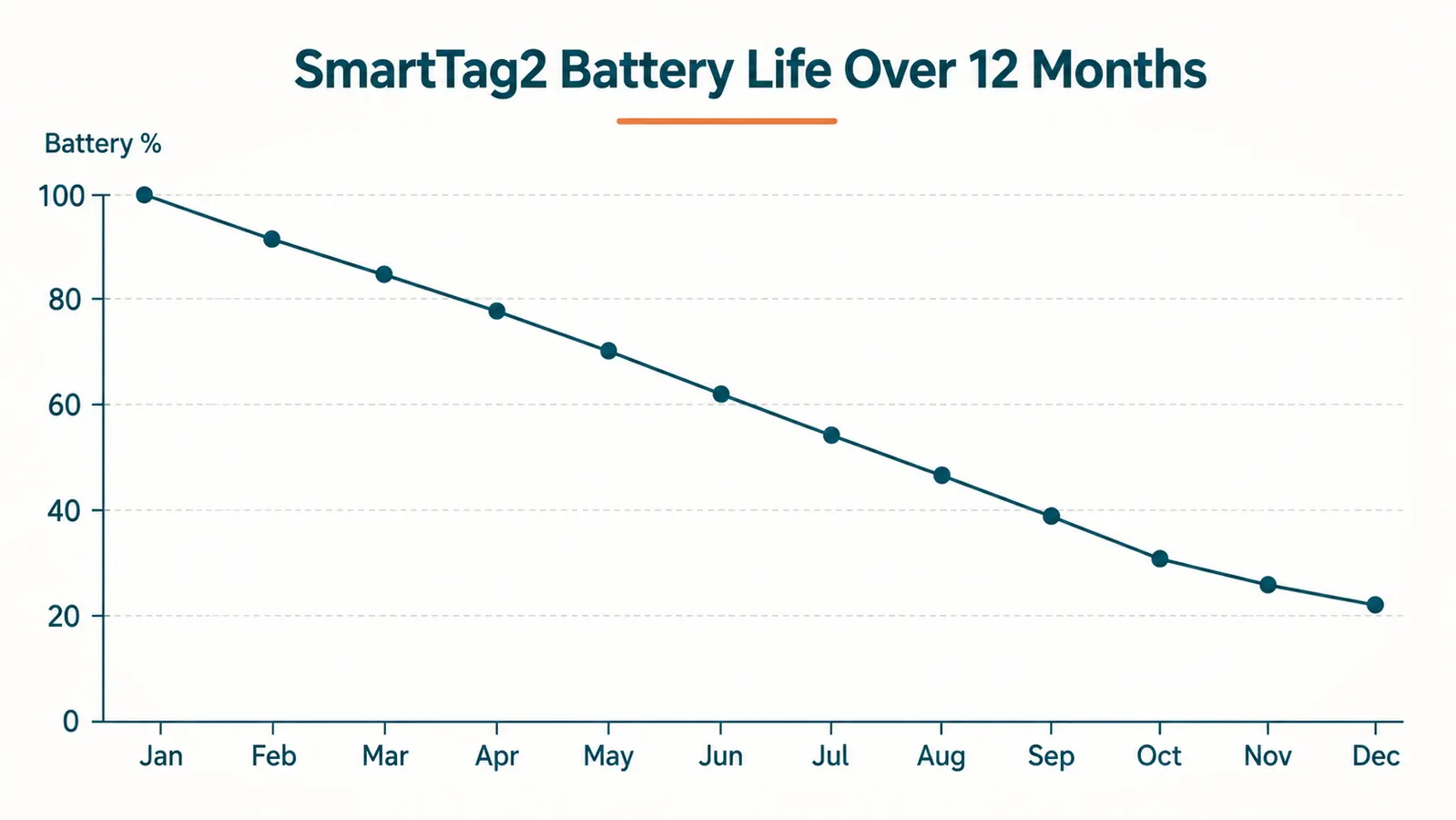
Samsung rates the SmartTag2 battery at up to six months. I was skeptical, because every tracker I have owned over the past decade has fallen short of its claimed battery life. The SmartTag2 came close enough that I stopped being skeptical. My first unit ran from January through late October before the app flagged a low-battery warning. That is roughly nine and a half months on a single CR2032 coin cell battery. The battery costs less than a dollar and swaps out in about ten seconds by twisting the back cover.
For context, the Apple AirTag is also rated for about a year on a CR2032, and in real use it tends to land in the eight-to-twelve-month range depending on how often it pings. My SmartTag2 ran a bit shorter on the first battery because I was testing the speaker function and the manual ping feature more than a normal user would. The second battery has been in since November and the app still shows it above 60 percent. If you clip it to your bag and leave it alone except when you are actually traveling, you can realistically expect six to nine months before a swap.
What the App Gets Right and Where It Frustrates
The SmartFind app, now folded into the Samsung SmartThings ecosystem, is clean and functional. The map view shows your tags as labeled pins with the last update time. You can tap any tag for more detail, including the update history so you can see where the tag has been over the past 24 hours. There is a built-in speaker mode where the tag plays a tone so you can find it in a pile of bags at the carousel. The tone is loud enough to hear clearly from across a baggage claim hall, which surprised me given the size of the unit.
The frustration is the Samsung wall. The SmartFind app runs on Samsung Galaxy phones only. If you hand your phone to a travel partner who has an iPhone, they cannot check the tag location. If your Samsung phone battery dies at the airport, you cannot log into the app on a borrowed phone unless it is also a Samsung. That dependency has never actually stranded me, but I keep a portable charger specifically because losing the app access at baggage claim would be its own kind of emergency. For solo Samsung users this is a non-issue. For couples with mixed phones it is something to think about.
I also want to flag that the first time you open SmartFind, the permissions setup is a little dense. Location access, background Bluetooth, notification permissions. If you tap through too fast and deny one of the background permissions, the tag stops updating when the app is closed. I did this on my first setup and spent 20 minutes confused about why the map was not refreshing. Slow down on the permissions screen, allow everything it asks for, and you will not have that problem.
Precision Finding: Useful at Airports, Limited Elsewhere
The SmartTag2 does not have UWB (ultra-wideband) chips, which means it does not support the centimeter-level precision finding that the Apple AirTag AR feature offers on newer iPhones. You get a directional arrow on the SmartFind app that responds to your phone's Bluetooth signal when you are within about 30 feet of the tag, but it is less precise than UWB. It is close enough to get you to the right carousel, the right corner of a room, or the right bag in a pile. It is not going to get you to the exact pocket of a bag sitting behind a wall.
In the 14 flights I tracked, the precision finder was most useful when my bag was in a pile of identical black hardshells on the carousel and I needed to confirm which one was mine before grabbing it. It worked well for that. For the lost-bag situation in Lisbon, the map view was all I needed. Precision finding is a bonus feature, not the core value.
Who Should Buy the SmartTag2 and Who Should Not
If you carry a Samsung Galaxy phone and you check luggage more than four or five times a year, the SmartTag2 is a straightforward yes. At current pricing it costs less than a typical airline delayed-baggage fee, and you only buy it once. The battery swap cost is trivial. The peace of mind at baggage claim is real. I have become the kind of traveler who opens the app while the plane is still taxiing, just to confirm my bag made the flight. That habit has already saved me one full-scale lost-bag crisis.
If you carry an iPhone, buy an AirTag instead. The Find My network is denser in North America and Europe, the precision finding is more accurate, and the AirTag works seamlessly across iOS devices. The SmartTag2 is not cross-platform and never will be. There is no workaround. Similarly, if you primarily fly routes through smaller regional airports in countries where Samsung penetration is low, the Galaxy Find network will give you less frequent location updates than you would get in a major hub. The tracker still works, but the map updates more slowly.
What I Liked
- Exceptional battery life, nine months on a single CR2032 in real use
- IP67 water resistance handles rain, boat life, and spilled liquids
- Loud built-in speaker is easy to hear in a noisy baggage hall
- No subscription fee, pairs permanently to your Samsung account
- Compact and light enough to forget it is on the bag
- Location history shows where your bag has been, not just where it is
Where It Falls Short
- Requires a Samsung Galaxy phone to set up and use, no iPhone support
- No UWB, so precision finding is directional only, not centimeter-accurate
- Galaxy Find network is thinner in rural areas and small regional airports
- App permissions setup is confusing and easy to misconfigure on first run
- Travel partners with non-Samsung phones cannot check your tag location
Who This Is For
The SmartTag2 is built for Samsung Galaxy users who check bags regularly on domestic or international routes through major airports. If that describes you, this tracker delivers genuine value. It is also a solid pick for anyone who wants to track items beyond luggage, including a motorcycle top case, a shore bag on a dock, a kayak hatch bag, or any gear that gets separated from you regularly. The IP67 rating makes it more durable than most electronics you would expose to the same conditions.
Who Should Skip It
Skip the SmartTag2 if you carry an iPhone, if your travel partner carries an iPhone, or if you are buying this as a shared family tracker where devices are mixed. The Samsung ecosystem lock-in is real and there is no way around it. Also skip it if the majority of your travel is through very small airports or rural destinations in regions with lower Samsung phone adoption. In those cases, the map updates will be infrequent enough that the tracker gives you false confidence more than genuine tracking.
For everyone else in the Samsung camp, the SmartTag2 earns its place on your bag. I have recommended it to three people I know who carry Galaxy phones and travel more than a few times a year. All three have bought one. None of them has lost a bag since, or at least none that stayed lost for long. That is the real metric. See the comparison of SmartTag2 versus AirTag for a full side-by-side on which tracker fits which traveler. And if you are still on the fence about whether a tracker is worth carrying at all, the 10 reasons to use a luggage tracker breaks down the case from scratch.
Copenhagen taught me that a budget tracker is cheaper than a ruined trip. Here is where to get one.
The Samsung Galaxy SmartTag2 pairs in minutes, runs nearly a year on a CR2032, and gives you a live map view of your bag from the moment it leaves your hands. No subscription required.
Amazon Check Today's Price on Amazon →