
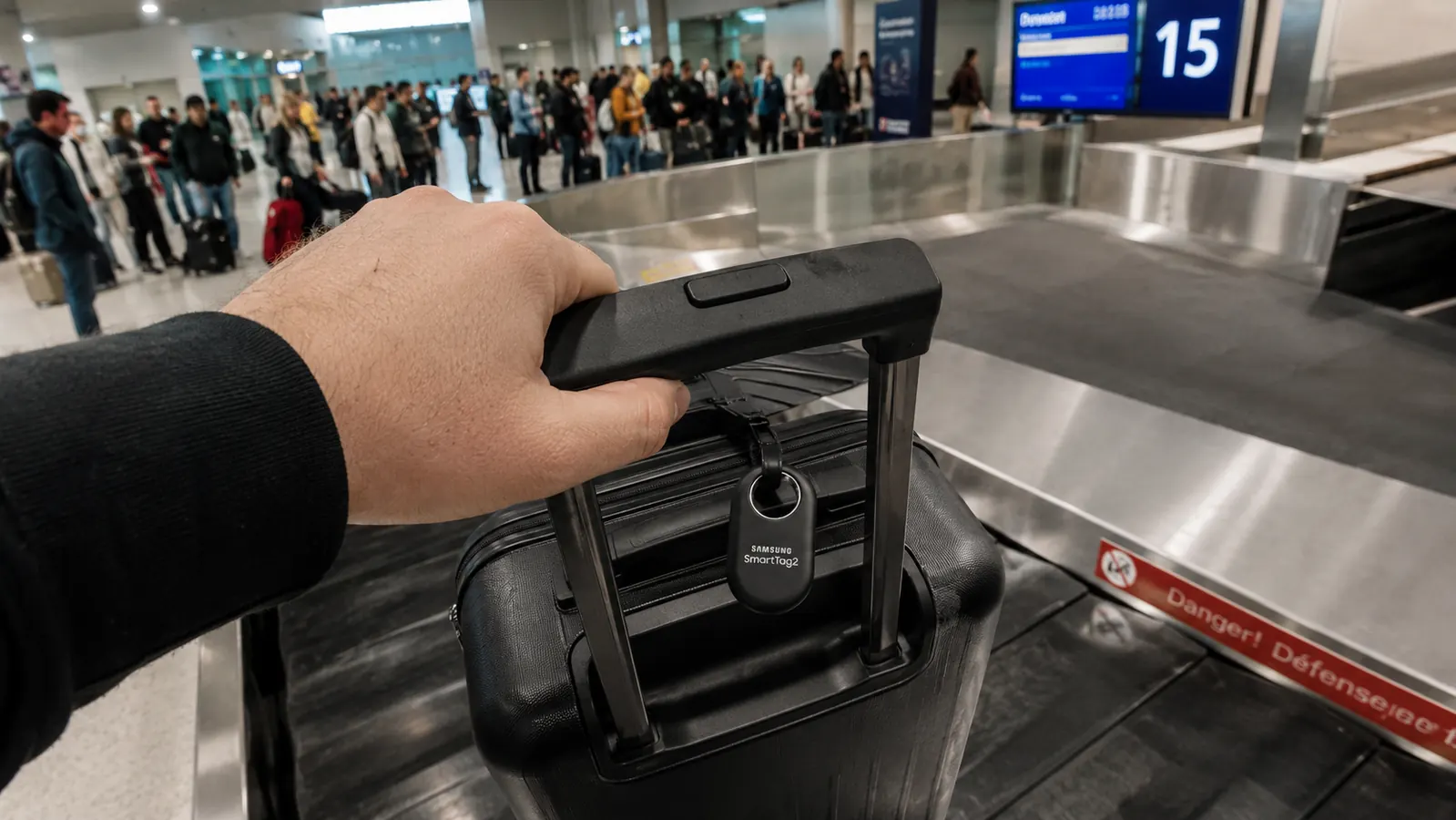
I am going to tell you the thing Samsung does not put in the headline. The SmartTag2 is a genuinely good Bluetooth tracker, one of the better ones I have used, but it only functions inside the Samsung Galaxy ecosystem. If your phone is an iPhone, a Google Pixel, a OnePlus, or anything other than a Samsung Galaxy, the SmartTag2 is a piece of plastic you paid eighteen dollars for. It will not pair. It will not ping. It will not locate your bag. That caveat eliminates roughly half the people reading this right now, and I would rather you know it in the first paragraph than discover it at baggage claim in Lisbon.
I have been traveling long enough to have a strong opinion about luggage trackers. I keep a SmartTag2 clipped to my checked duffel and a second one on the stern line bag on my boat. My phone is a Galaxy S24. So the ecosystem requirement does not affect me personally, but I have watched it trip up other travelers more than once, including my neighbor at the marina who bought two SmartTag2 units based on a review that never mentioned the phone requirement. She has an iPhone 15. She returned them the next week. This review is the one I wish she had found first.
The Quick Verdict
The SmartTag2 is a solid, well-built tracker with genuinely good battery life and a reliable app, but the Galaxy-only ecosystem restriction makes it a non-starter for about half the traveling public. Know which camp you are in before you order.
Amazon Check Today's Price →Running a Galaxy phone? The SmartTag2 earns its clip on your bag.
At a budget-friendly price, it is one of the more affordable Bluetooth luggage trackers available. If you have a Galaxy phone, check current availability and pricing below.
Amazon Check Today's Price on Amazon →The Ecosystem Wall: What Samsung Does Not Advertise
Let me be precise about what "Galaxy ecosystem" means in practice. The SmartTag2 uses Samsung's SmartThings Find network, which is built on Bluetooth signals bounced through Samsung Galaxy phones carried by other Samsung users in the area. To set the tag up, you need the Samsung SmartThings app, which only runs on Android and is designed specifically for Samsung devices. Non-Samsung Android phones get a degraded experience or no experience at all depending on the manufacturer. iPhone users get nothing.
This matters more for travelers than for people tracking things at home. At home, your phone is nearby most of the time. But when your bag goes into cargo at O'Hare and comes out at the wrong carousel in Denver, the tag can only be located if another Samsung Galaxy phone physically passes within about 150 feet of it and pings the network. In a major hub airport, that is probably fine. In a smaller regional airport where Samsung users are sparse, you might wait a long time for a location update. Apple's AirTag network operates on every iPhone worldwide, which is a much denser coverage grid in most Western countries. That is the honest tradeoff, and it matters.
What I Have Actually Used It For
I have had a SmartTag2 clipped to the handle of my travel duffel since last fall. Over that period I have taken it through five countries, nine domestic flights, two Caribbean ferry runs, and one very long motorcycle trip from my home marina in Florida to Albuquerque. The tag has been in my checked bag, in a saddlebag, clipped to a dock line bag, and tucked into the side pocket of a daypack. I have not lost it, which partly reflects the tracker working and partly reflects me being careful with gear.
The one time it proved genuinely useful was a connection through Atlanta where my bag got held for a security inspection. I was at the gate for the next flight, watching the app, and the bag's last-known location pinged from a terminal I was not in. I went back to the airline desk with that information and had the bag located in under fifteen minutes. Without the tracker I would have spent much longer navigating Atlanta's lost-bag process. That is a real win, and it is the scenario these trackers exist for.
Battery Life: The Claimed Number Is Not the Real Number
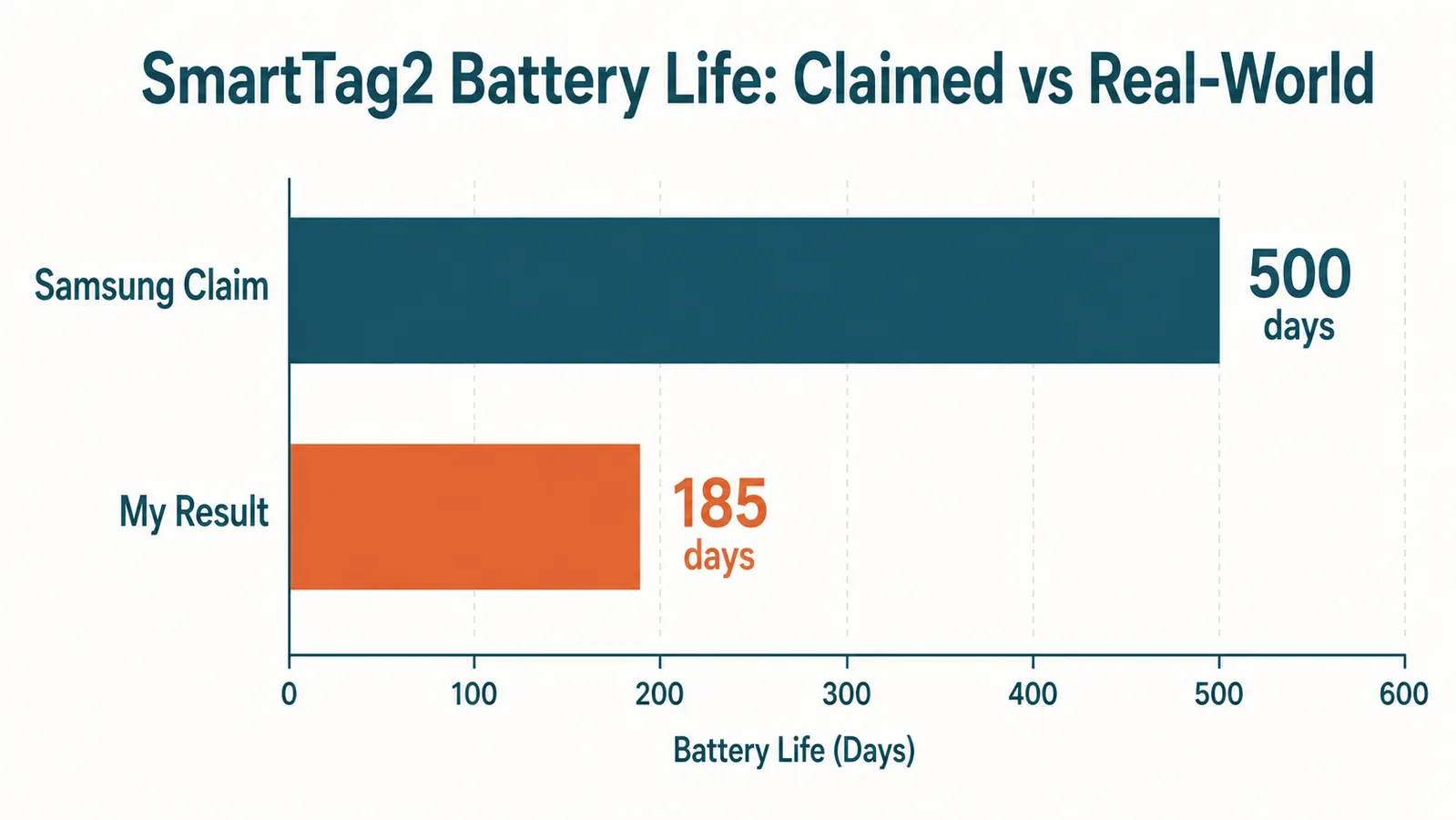
Samsung claims up to 500 days of battery life on a single CR2032 coin cell. I tracked mine carefully because that number struck me as optimistic. My real-world result, with the tag running standard settings and the Lost Mode feature enabled, was closer to 185 days before the app started warning me to swap the battery. That is still a solid six-plus months on a single coin cell, which I find perfectly acceptable. But 500 days is a lab number achieved under conditions that do not resemble how most people travel with these things.
The variables that eat battery faster than Samsung's estimate include how often the tag is searched, whether you use the UWB precision finding feature (which is the directional arrow mode that guides you toward the exact location of the tag), and how frequently your phone pings the tag when it is in range. If you leave the tag on a bag in your closet for six months and never open the app, you might approach the stated number. If you use it actively the way a traveler does, budget for a battery swap roughly twice a year. CR2032 batteries cost almost nothing, and swapping the back cover on the SmartTag2 takes about ten seconds, so this is not a real complaint. It is just a calibration on expectations.
Build Quality and Size: Where It Genuinely Wins
The SmartTag2 is noticeably better built than most Bluetooth trackers at this price point. The housing is a hard matte plastic that does not feel cheap, and the keyring loop is metal, not the flimsy plastic ring you find on some competing trackers. I ran mine through a downpour in the Keys and it came out fine. The IP67 water resistance rating is real, not a marketing stretch. It has been dunked, rained on, and sat in a wet saddlebag pocket without any sign of moisture damage.
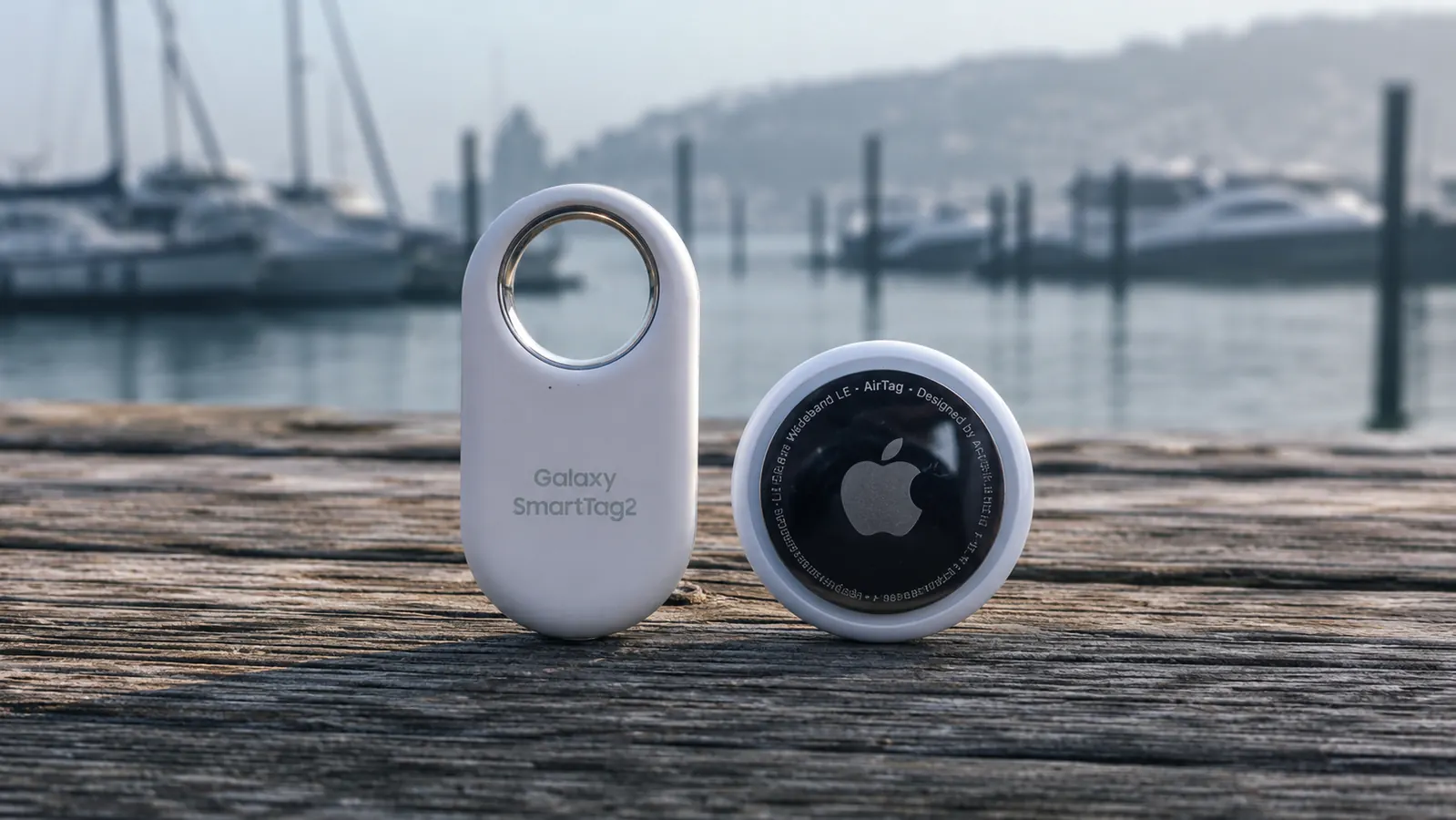
Size-wise, the SmartTag2 is slightly larger than an Apple AirTag. It is about the shape of a large guitar pick, roughly 42mm x 56mm, and 9mm thick. That is still small enough to tuck into any bag or clip to a handle without getting in the way. On a motorcycle saddlebag it disappears. On a luggage handle it is barely noticeable. I prefer the form factor to the AirTag's disc shape because it is easier to clip through loops without a separate holder. The built-in loop is a real convenience.
The one question to answer before you buy a SmartTag2 is simple: are you in the Samsung Galaxy ecosystem? If yes, this tracker punches above its price. If no, stop here and look at an AirTag.
The App Experience: Honest Impressions
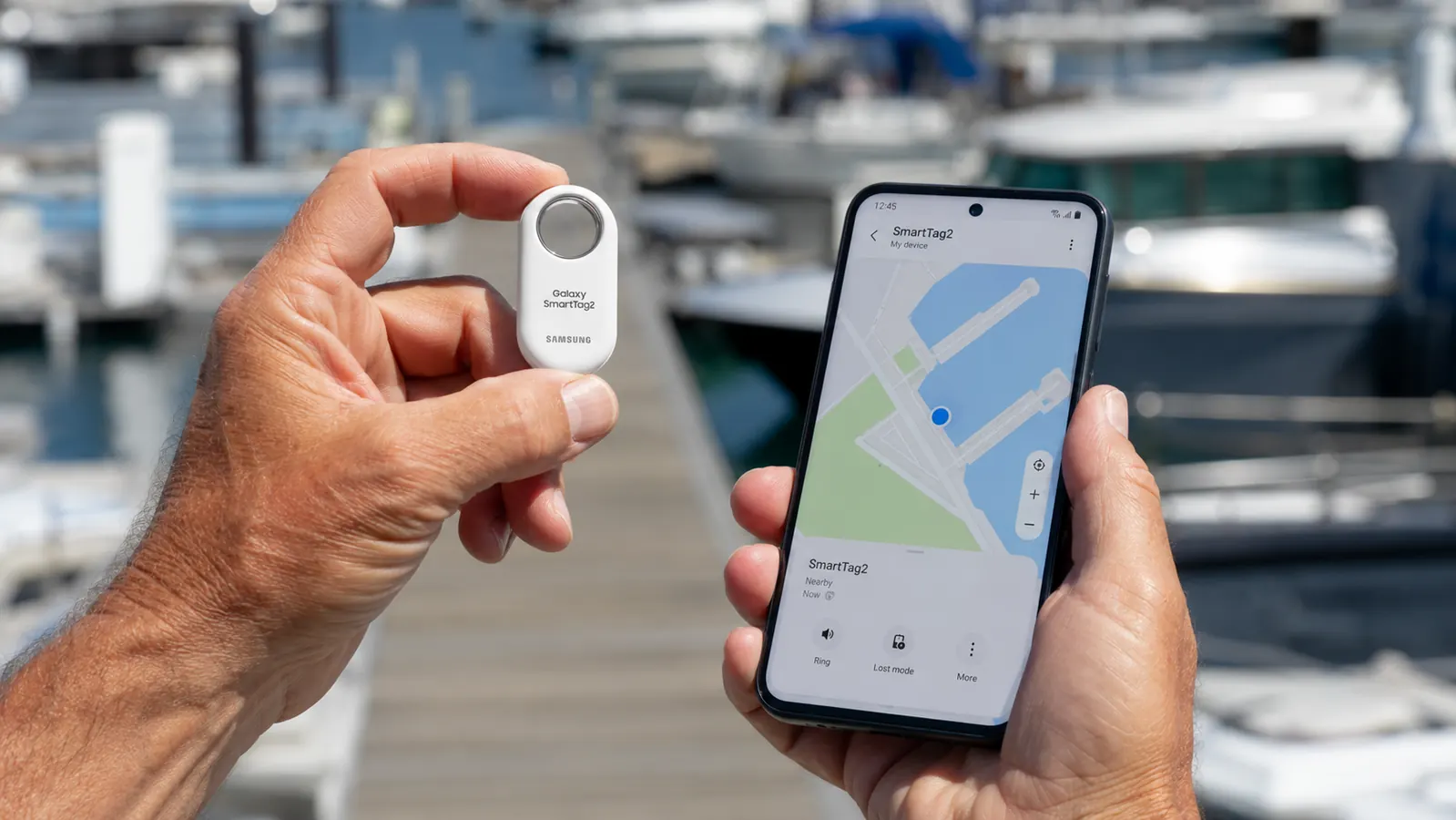
Samsung's SmartThings app is competent and not particularly beautiful. The map interface shows your tag's last known location, a timestamp for when the location was last updated, and an estimated signal strength. The Lost Mode feature lets you flag a tag as missing, which prompts the network to alert you anonymously when any Galaxy phone pings it. That mode works reasonably well at major airports and dense urban areas where Samsung phone density is high.
The precision finding feature, which uses UWB ultra-wideband radio to give you a directional arrow pointing toward the tag, only works with specific Samsung Galaxy phone models that have a UWB chip. If your Galaxy phone is an older model without UWB, you get standard Bluetooth proximity detection only, which tells you whether you are getting warmer but does not give you a direction. The Samsung product page does not always make this distinction easy to find. Check your specific Galaxy model's UWB support before expecting the arrow feature.
One thing the app does well is battery monitoring. You get clear, early warnings before the battery actually dies, and the replacement guide in the app is simple. Compared to the tracking apps I have used from other manufacturers, SmartThings is reliable. It crashes less often than some competing apps I have run. The interface is functional if dated-looking.
Where It Loses Signal and What That Means for Travelers
Bluetooth trackers in general have a fundamental limitation that the marketing materials tend to gloss over: they are not GPS devices. The SmartTag2 does not have its own GPS chip. It reports a location by bouncing a Bluetooth signal off nearby Samsung phones, which then send an encrypted location ping to Samsung's servers. If your bag is sitting in a cargo hold, in a warehouse, or in a rural area with no Samsung phones nearby, the tag goes silent. It might have been last seen in one city and not update again until it arrives at a densely populated destination.
I have had this happen on my cross-country motorcycle trip when I passed through a stretch of Nevada and eastern Utah where the tag on my saddlebag simply did not update for about eight hours. That is not a SmartTag2 failure specifically; it is how the whole Bluetooth tracker category works. But if your mental model of this device is "real-time GPS tracking," correct it now. It is crowd-sourced location detection that works very well in populated areas and has genuine dead zones in rural or low-density regions. For international travel between major airports it is reliable. For tracking a bag through a remote route, less so.
SmartTag2 vs AirTag: The Honest Comparison in One Paragraph
If you want the head-to-head breakdown of SmartTag2 versus AirTag on every spec and use case, I wrote that out fully in a separate piece. The short version: AirTag wins on network coverage because there are more iPhones in the world than Samsung Galaxies, and Apple's Find My network is larger. SmartTag2 wins on form factor (the built-in loop versus AirTag's need for a separate holder), build quality for the price, and the fact that it does not require a separate case to be water resistant. The right answer depends entirely on which phone you carry. There is no objectively better tracker independent of your ecosystem.
Anti-Stalking Alerts: A Feature Worth Knowing About
Samsung built anti-stalking detection into the SmartTag2 firmware. If a SmartTag2 that is not registered to your account is traveling with you, your Galaxy phone will alert you to its presence after a period of time. This is a meaningful consumer protection feature that Bluetooth trackers have been criticized for lacking, and Samsung's implementation is reasonably robust. The flip side is that if you are trying to hide a tracker on a bag that someone else is carrying for any reason, the system will eventually flag it. Worth knowing from both angles.
What I Liked
- Solid IP67 water resistance, genuinely tested in rain and saltwater spray
- Built-in metal loop, no separate holder required to clip to luggage
- Battery is user-replaceable (CR2032, costs very little)
- SmartThings app is reliable and has clear battery warning notifications
- Anti-stalking protection built into the firmware
- Good size-to-visibility ratio, barely noticeable on a bag handle
Where It Falls Short
- Galaxy ecosystem only, completely non-functional on iPhone or non-Samsung Android
- Stated 500-day battery life is a lab figure; real-world travel use is closer to 185 days
- UWB precision finding requires a compatible Galaxy model, not all Galaxy phones qualify
- Network coverage depends on Samsung phone density, thinner than AirTag's iPhone network
- No GPS, location gaps in rural or low-density areas can last many hours
- Slightly larger physical footprint than AirTag
Who This Is For
The SmartTag2 is the right tracker if you carry a Samsung Galaxy phone and you check bags on flights more than a few times a year. At a low price it is a low-stakes purchase with a real payoff the one time an airline misroutes your bag. It is also a reasonable tracker for a motorcycle saddlebag, a boat gear bag, camera bag, or any piece of luggage you regularly hand off to other people's custody. The build quality is good enough that I have not babied mine, and it has held up. If you travel mostly through major hub airports in the US or Europe, the Galaxy Find network is dense enough to give you reliable location updates.
Who Should Skip It
Skip the SmartTag2 if you carry an iPhone. Full stop. It will not pair, it will not work, and returning it is more hassle than the price is worth. Also skip it if you or your frequent travel companion uses a non-Samsung Android phone; the experience degrades significantly on devices outside the Samsung ecosystem. Skip it if you need real-time GPS tracking, because this is not that device and no Bluetooth tracker in this price range is. And skip it if you travel primarily through rural areas or secondary airports where Samsung phone density is low; the coverage gaps will frustrate you. For those travelers, look at a cellular-based GPS tracker instead, accepting the monthly data plan cost as the tradeoff for always-on location.
If you want more detail on how to set up and use a Bluetooth tracker effectively before your first trip with one, I put together a practical step-by-step guide that covers setup, Lost Mode, and what to actually do if your bag goes missing.
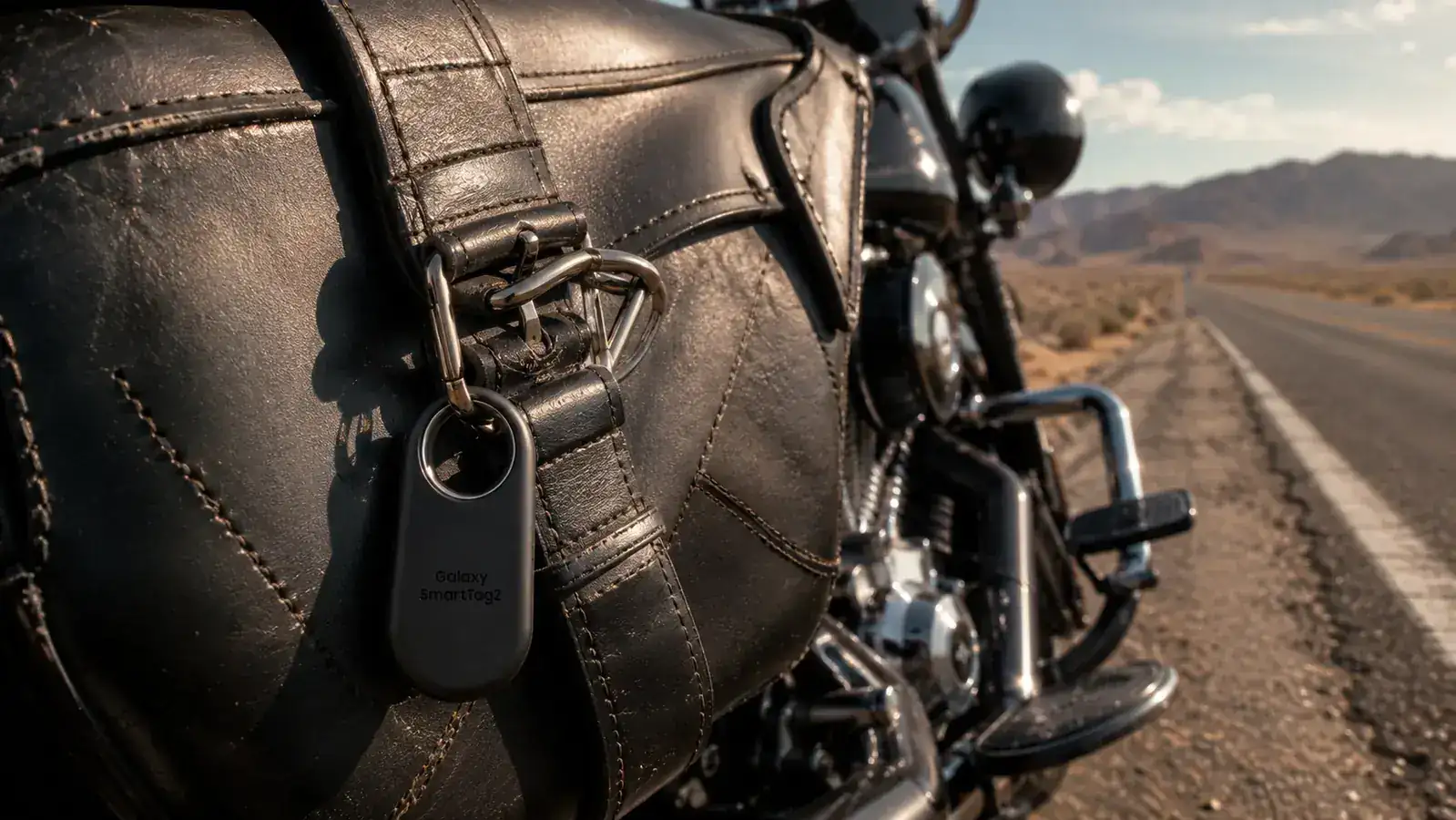
Galaxy user? At a budget price, the SmartTag2 is worth clipping to your checked bag.
It is not GPS, it is not perfect, and it will not help if you carry an iPhone. But for Samsung Galaxy users who check bags regularly, it has earned its spot on my duffel handle and kept it for over six months.
Amazon Check Today's Price on Amazon →